



 Published:
 Time to read:5 min
Large File Storage in Dynamics CRM Attachments
A Short Overview of the Article
A Short Reference about the Author
Introduction
Dynamics 365, Dataverse, and File Storage Considerations
Changing File Size Limits for Attachments
The Dynamics 365 system administrator can change the maximum size of attachments from 0 to 128 MB (131,072 KB) in the System Settings dialog box.
The implementation steps:
Navigate to https://make.powerapps.com
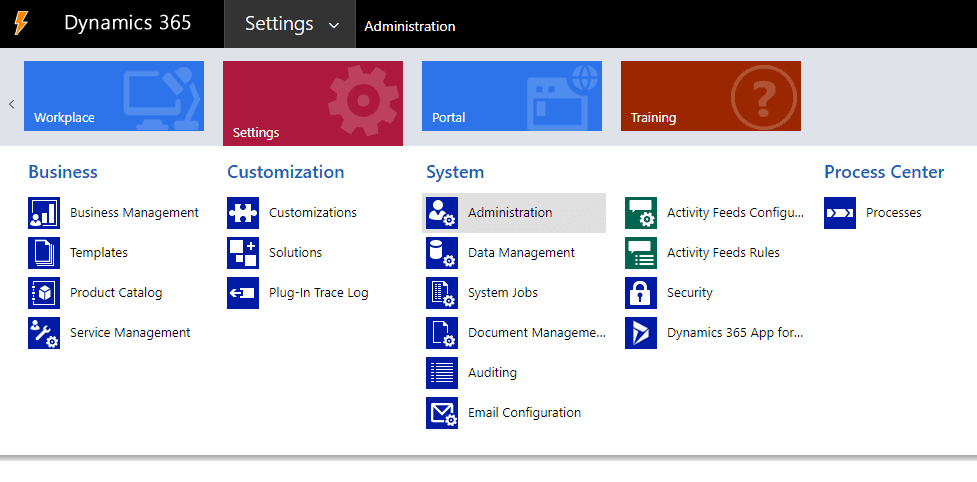
Click on the "Gear Icon" at the top --> Select the "Advance Settings".
It will open the "Settings" page --> Select the "Administration".
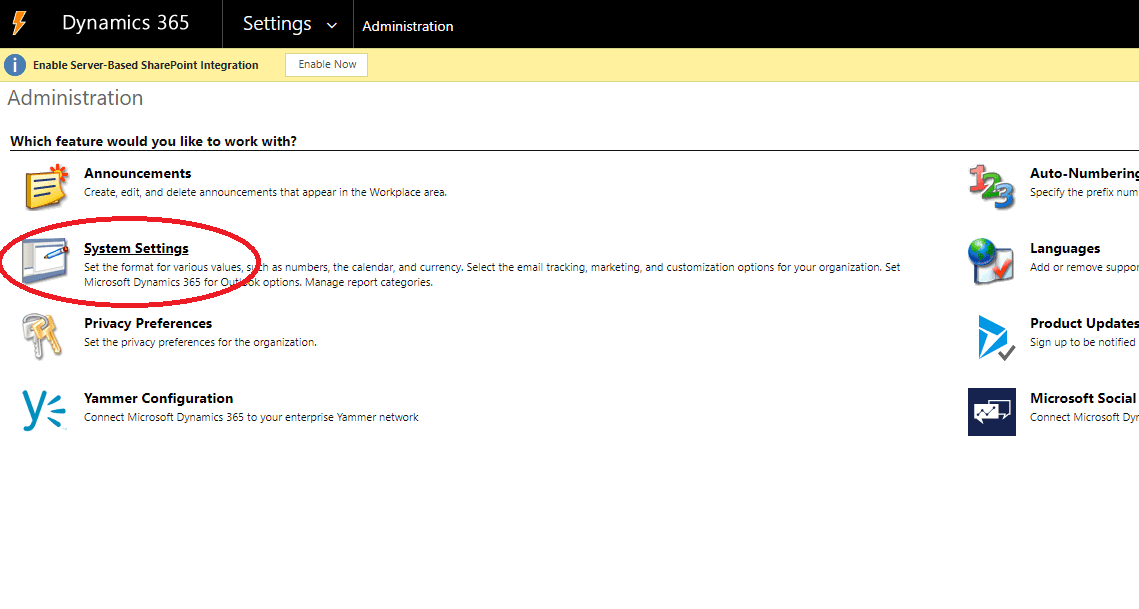
Press the "System Settings".
Once the page is loaded, select the "Email" tab.
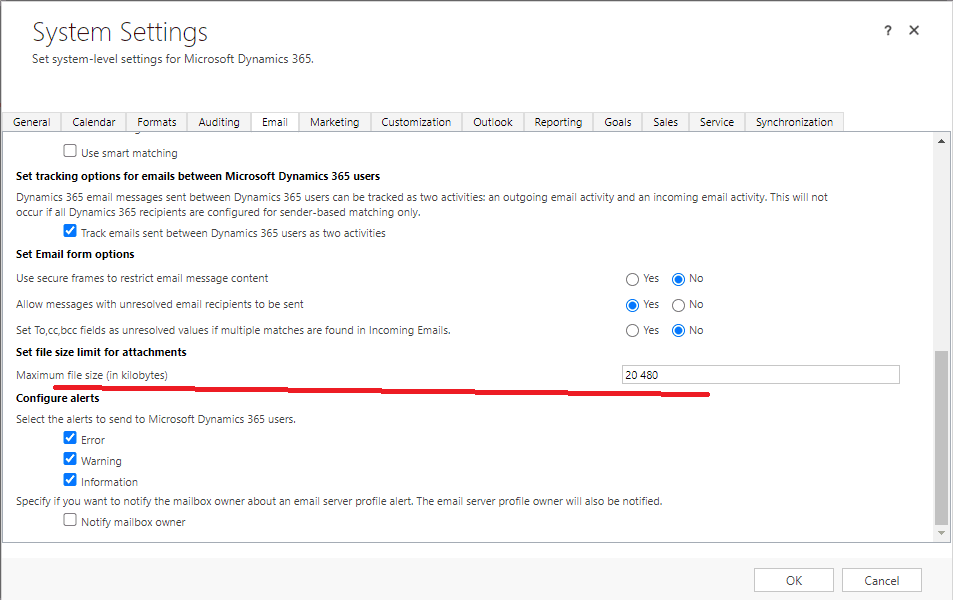
! Note. Here, you will find the section called "Set file size limit for attachments," where you can set the maximum attachment file size in kilobytes. The default size limit for attachments is 5120kB/5MB but can be increased to 32768Kb/32MB for older versions of CRM and 131072Kb/128MB for newer versions of CRM.
Now, let us explore the maximum size the system can allow.
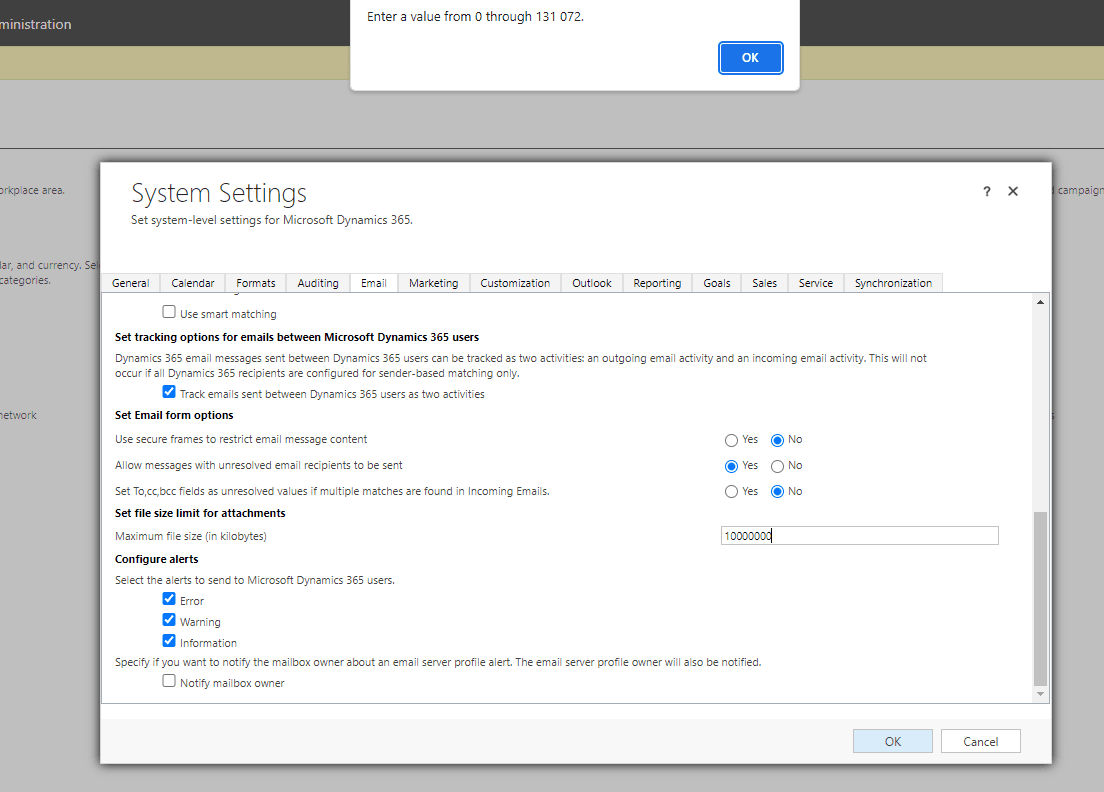
! Note. Within the Dataverse Environment, only values ranging from 0 to 131,072 are permitted.
Splitting Files into Multiple Parts
Joining Split Files
Why Dynamics 365 Attachment Limits Matter
Best Practices for Large File Storage in Dynamics 365
Conclusion
Frequently Asked Questions
The maximum attachment size in a Dataverse environment can be configured from 0 to 131,072 KB (128 MB) through System Settings under the Email tab. The default attachment size limit is typically 5 MB (5,120 KB), although the available limits may vary depending on the CRM version and configuration.
You can overcome the attachment size limitation by splitting a large file into smaller chunks, each of which stays below the configured attachment size limit. Store each chunk as a separate attachment and maintain metadata, such as the file ID, total number of parts, and part sequence number. When the original file is needed, retrieve the parts and combine them in the correct order.
To reconstruct the original file correctly, assign a unique identifier to each file part and maintain a sequence number using the FilePartNumber property. When retrieving the attachments, use this sequence number to sort the parts before combining their byte arrays. This ensures that the reconstructed file matches the original.
You should maintain metadata for both the original file and its individual parts. The original file information should include:
FileId: A unique identifier for the original file
FileTotalParts: The total number of chunks created
Each file part should contain:
FilePartId: A unique identifier for the attachment
FilePartNumber: The sequence number of the corresponding chunk
Storing this information makes it easier to retrieve, organize, and reconstruct files reliably.
Related Content
Table of contents: