



 Published:September 2, 2026
 Time to read:4 min
From Complexity to Clarity: Leveraging Base Classes for Seamless Dynamics 365 CRM Plugin Development
A Short Overview of the Article
A Short Reference About the Author
Introduction
Basic Approach
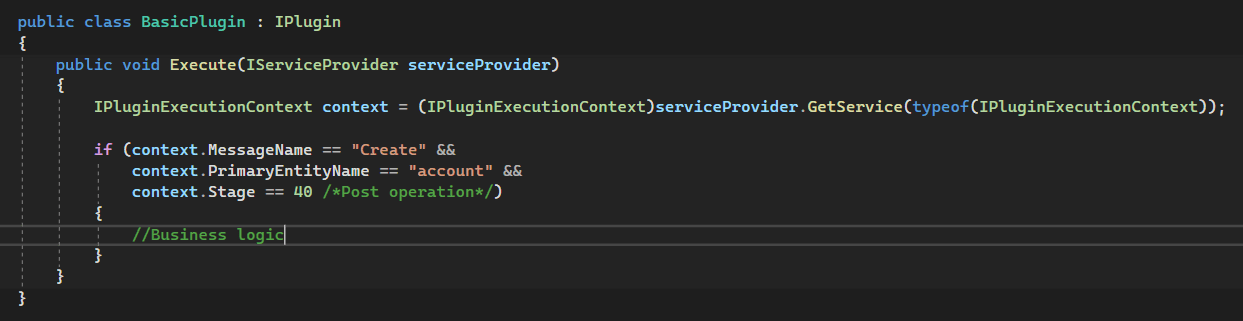
Creating a basic plugin for Microsoft Dynamics 365 CRM involves writing a class in C# that implements the IPlugin interface. Here's an example of a simple basic plugin:

Once in this form, the plugin can be registered and will work. However, typically, the developer also checks the correctness of the input parameters (whether the plugin is registered correctly):
Additionally, the services for CRM interaction require initialization:
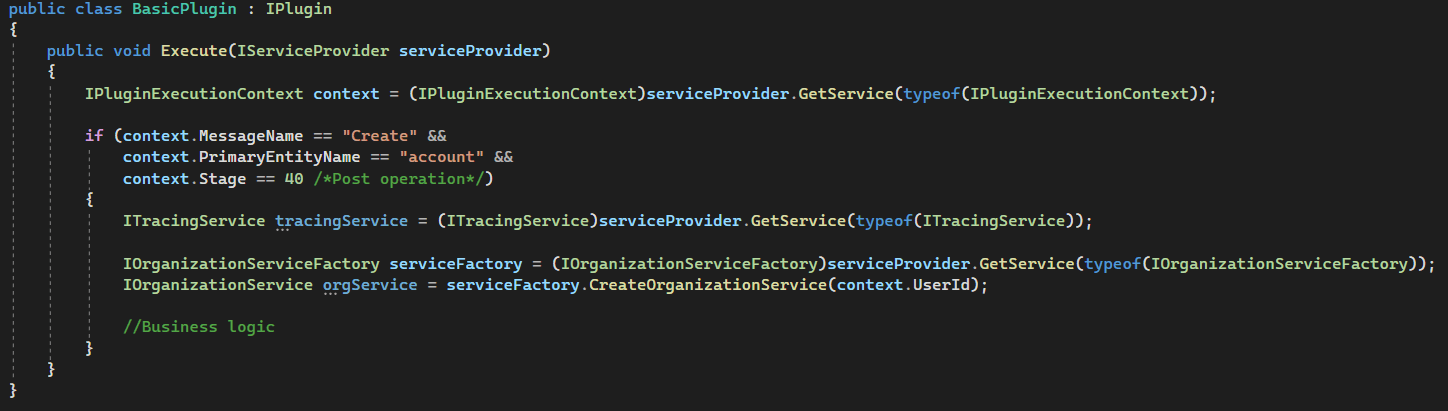
When scaling a system, a necessity arises to create new plugins and modify existing ones. One of the crucial aspects of this process is maintaining clean code. The following problems can arise with such an approach:
Repetition of technical code
Context checks that can be missed (which can be critical if the plugin is not registered correctly)
Technical code distracts attention from the main business logic
All the drawbacks mentioned above can be addressed by creating a base class for plugins, which will handle service initialization and necessary checks and eliminate the code repetition.
Base Class for Plugins
Once again, briefly, about the basic approach - we implement the IPlugin interface, add our code to the Execute method, and obtain a plugin class, which we register using the Plugin Registration Tool. In the case of the base class, the approach will look slightly different: we inherit the CrmPluginContainer class, add methods with specific signatures, mark them as plugins, and as a result, we get a class with one or several plugins that are registered similarly to the basic approach. What is required for this?
First, we must implement a mechanism that recognizes which class method is a plugin and reads its registration parameters. An excellent solution for solving this task would be attributes:
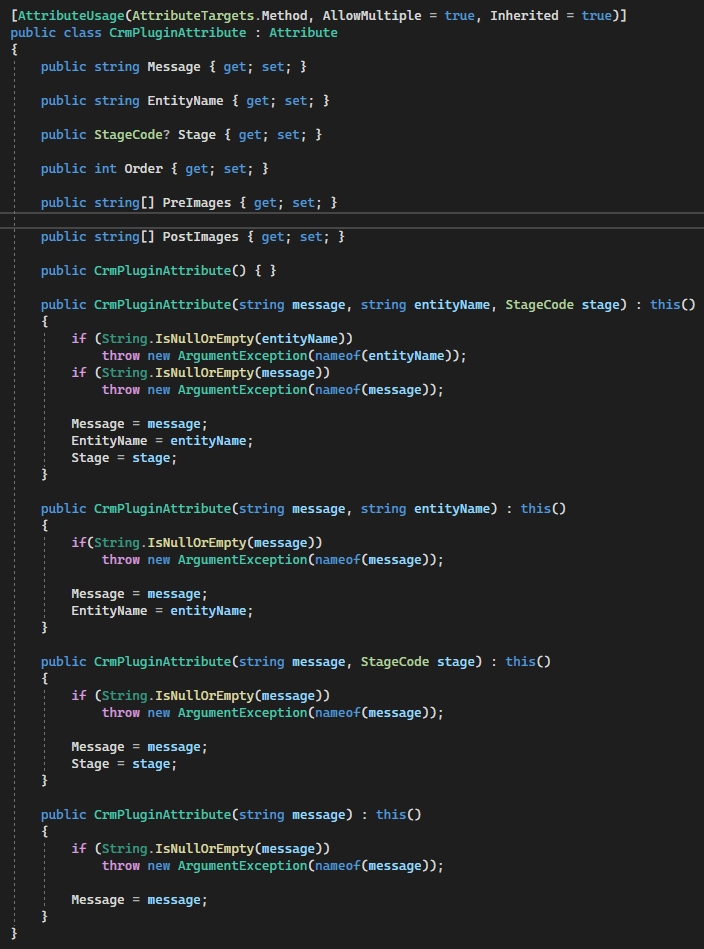
The next essential mechanism involves searching for methods marked with such attributes and reading registration data:
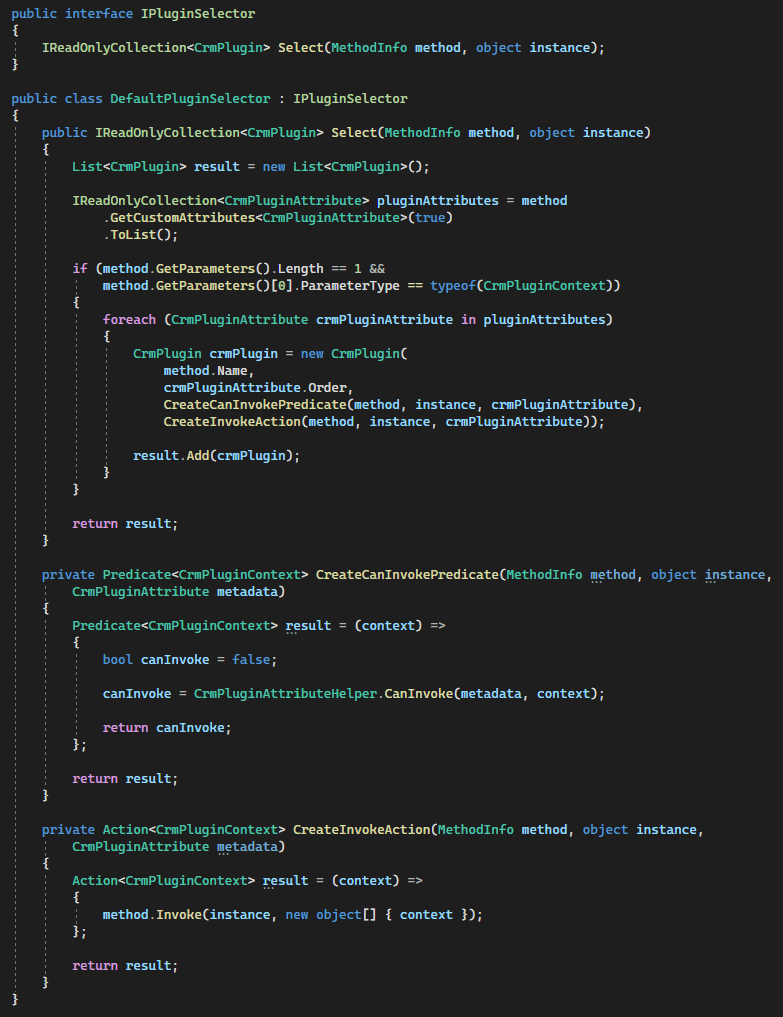
The process is straightforward: through Reflection, the registration parameters specified in the attribute are condensed, forming a representation of the plugin, which is then appended to the overall array. The subsequent step involves crafting a class that consolidates all the plugin's input parameters and pre-initialized services for seamless communication with D365 CRM:
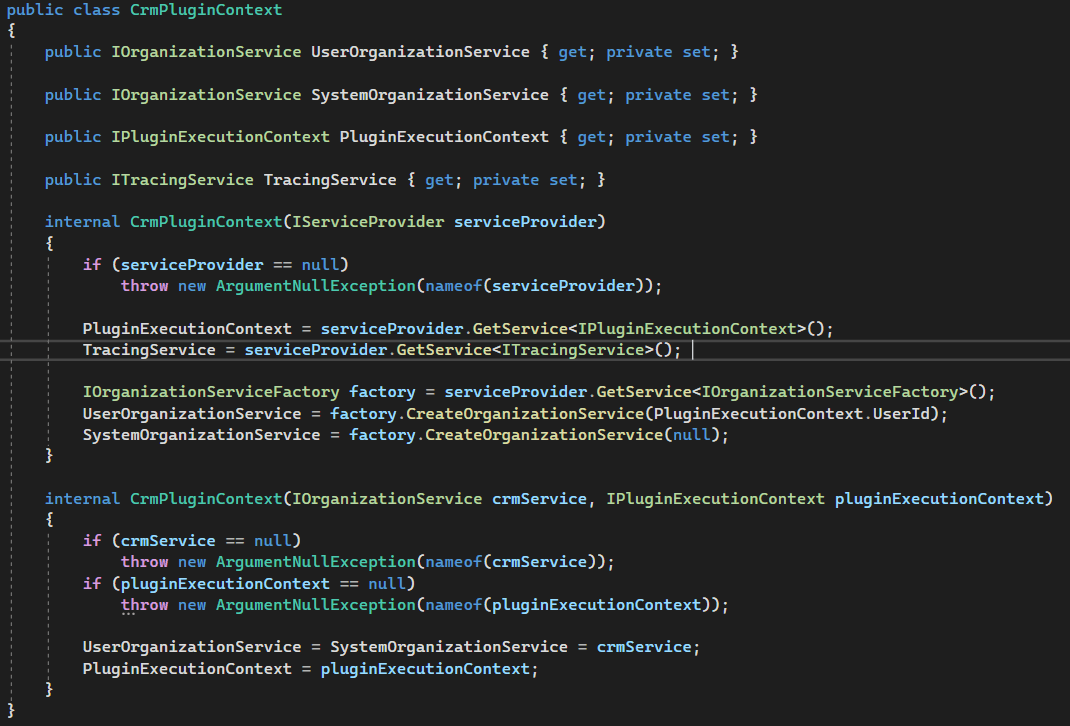
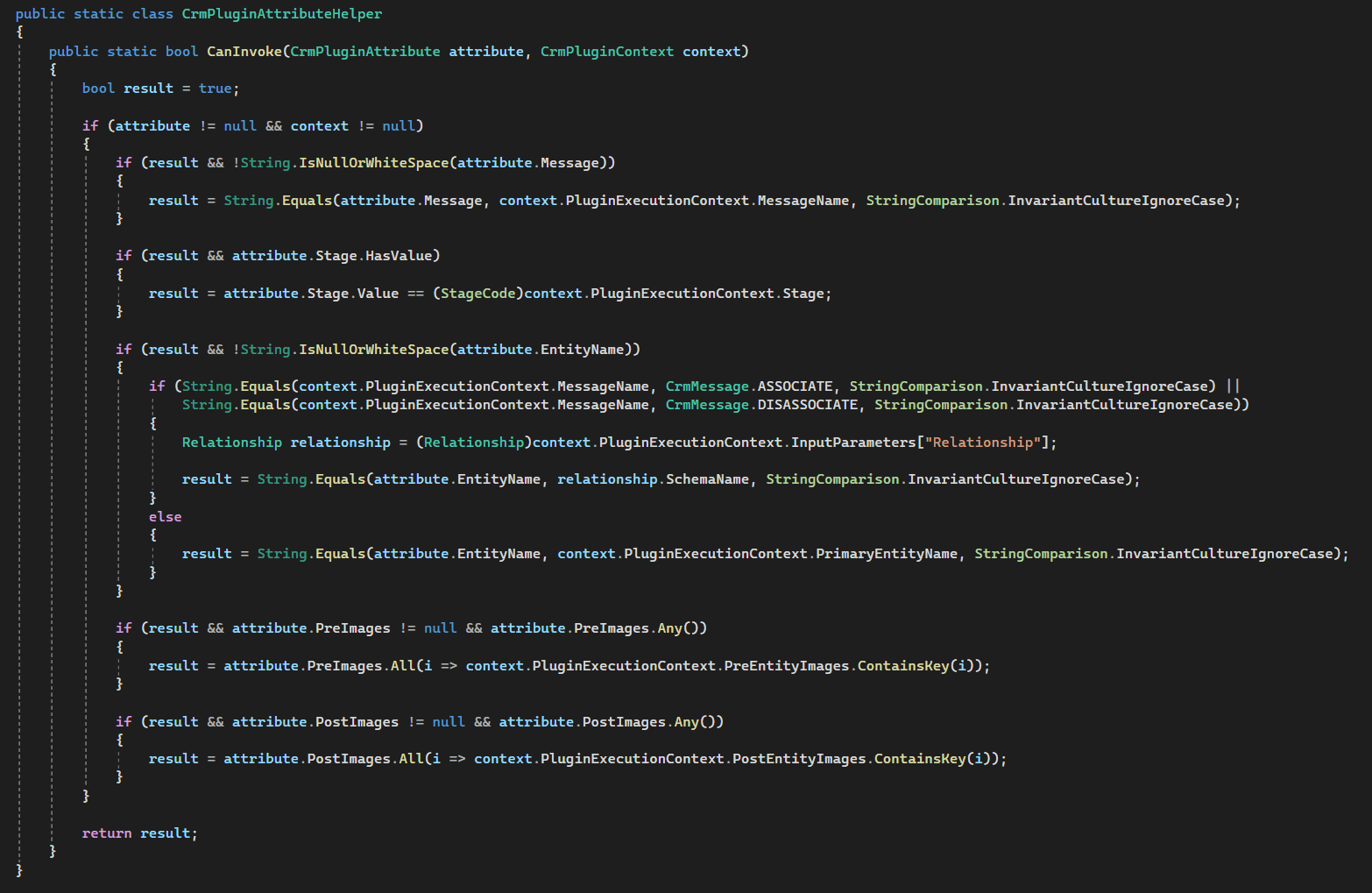
With a list of plugin concepts and the context of the base plugin (a class containing methods marked with an attribute), you can decide which methods need to be called:
Now, it remains to unite this into one mechanism:
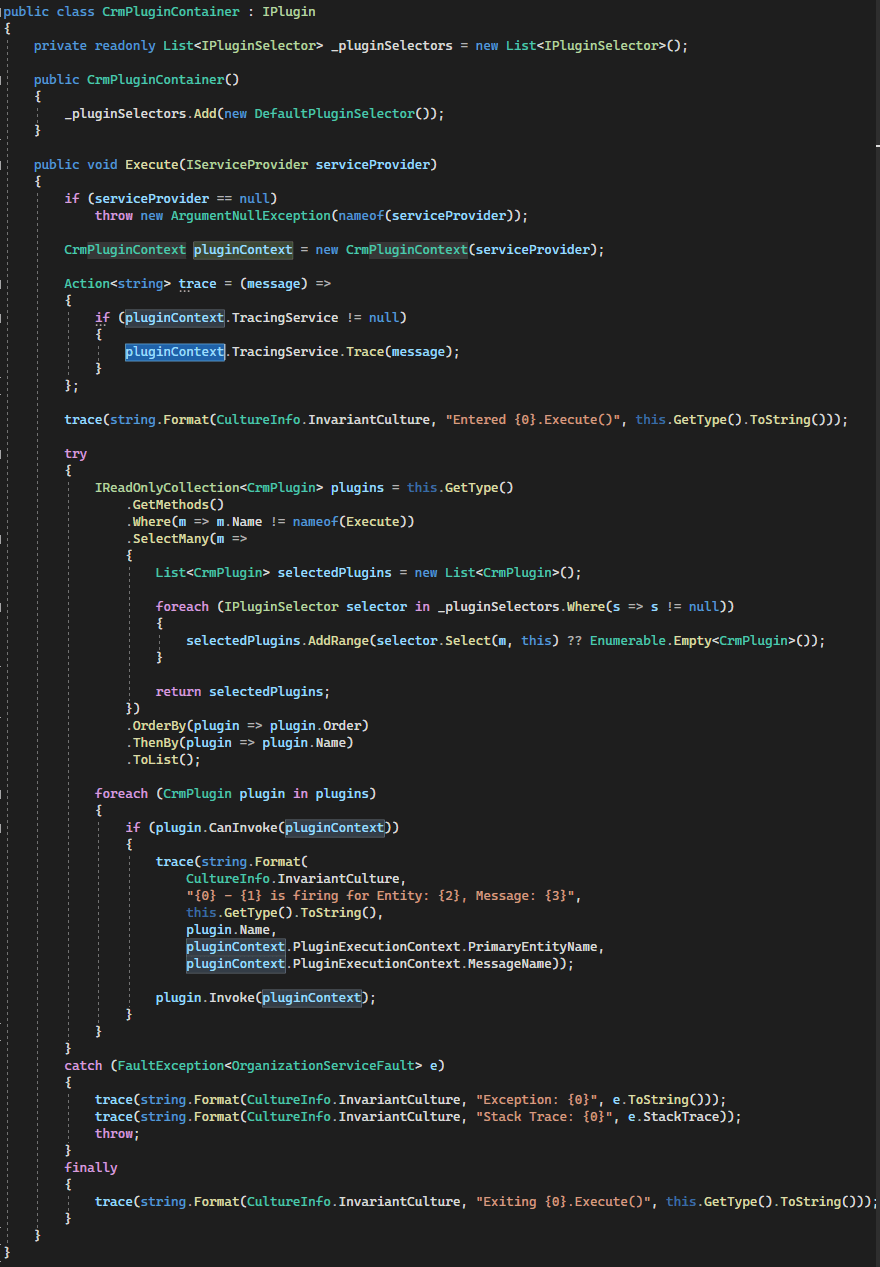
The typical workflow is as follows:
-
Create a class inheriting from the "CrmActionContainer".
-
Add methods with the signature void "MethodName(CrmPluginContext context)" to the class.
-
Mark these methods with the attribute [CrmPlugin("Create," "Account," StageCodePost)].
-
Implement necessary business logic within these methods.
-
Register the container class.
-
When the trigger is activated, the "Execute" method is called, initiating the mechanism of the base class created.
-
Initially, all plugins marked with the attribute are located.
-
Their registration data is then examined to determine which plugins need to be executed based on the current context.
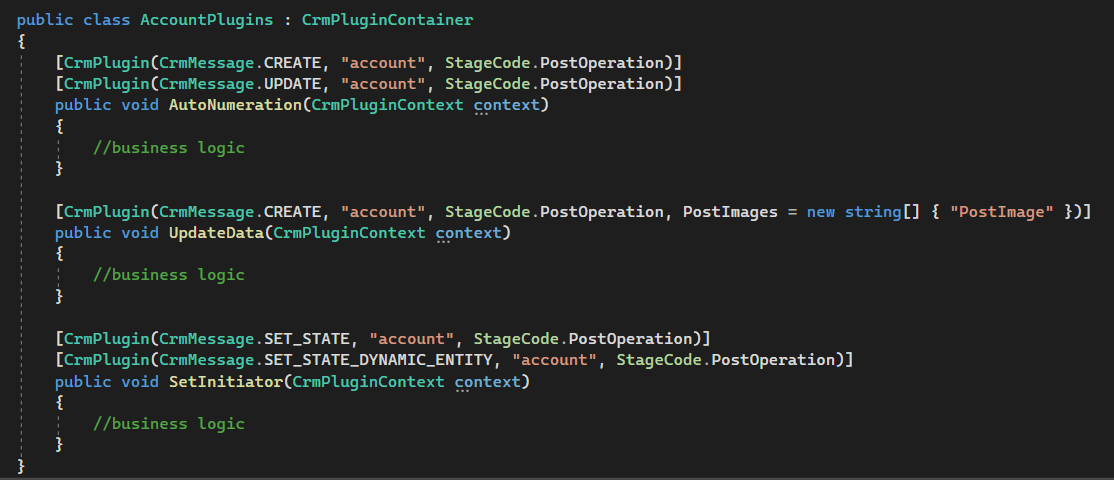
The example of usage:
Conclusion
Frequently Asked Questions
A base class centralizes common technical tasks such as service initialization, execution-context validation, and plugin discovery. This reduces repetitive code, improves consistency, and allows developers to focus more directly on implementing business logic.
Each plugin method is marked with a custom attribute containing registration information, such as the message, entity, and execution stage. The base class uses Reflection to discover these methods and compare their registration parameters with the current CRM execution context. Only the methods that match the current event are executed.
The registration process remains conceptually similar to a standard plugin. The container class is registered with the Plugin Registration Tool, while the custom attributes define which methods should respond to particular CRM events. This allows multiple plugin methods to be organized within a common container while retaining the standard CRM registration model.
A base class is particularly useful in projects with multiple plugins, shared development teams, or complex CRM customizations. As the number of plugins grows, centralizing common execution logic can significantly improve code consistency, readability, and maintainability while reducing the chance of missing important context or service initialization steps.
Related Content
Table of contents: