



 Published:January 30, 2026
 Time to read:5 min
Intelligent Document Processing with Microsoft AI
A Short Overview of the Article
A Short Reference About the Author
Introduction
What is Azure AI Document Intelligence?
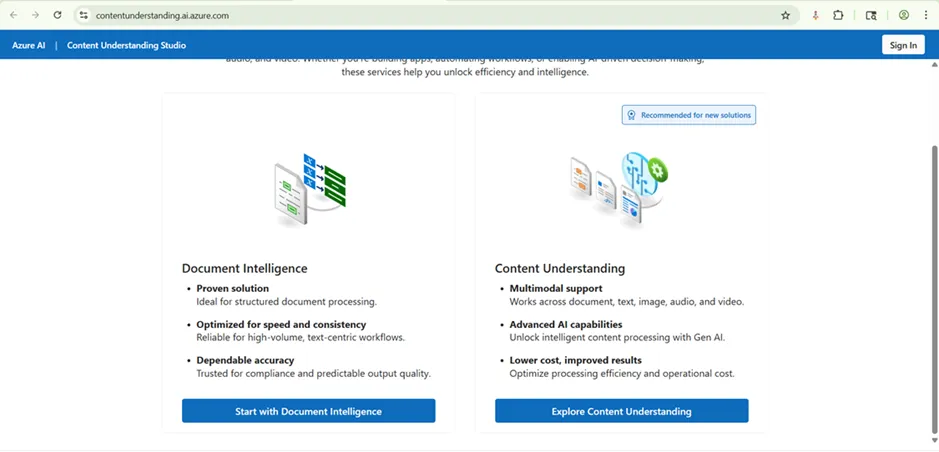
Azure AI Document Intelligence is a cloud Machine Learning service designed to extract text, tables, key-value pairs, and structural elements from documents.
Unlike traditional OCR (Optical Character Recognition), which only reads text, this AI understands context, for example, recognizing that a number next to the word “Total” is likely an invoice amount rather than a random value.
The Key Capabilities
The Real-world Use Case: Automated Accounts Payable Flow
Let us imagine a typical scenario: a logistics company receives hundreds of vendor invoices via email every week. The problem is that an accountant opens each email, downloads the PDF, and manually types the vendor's name, date, and total amount into the ERP system.
Here is the AI solution flow:
-
Ingestion
A vendor sends an invoice to a dedicated email address.
-
Trigger
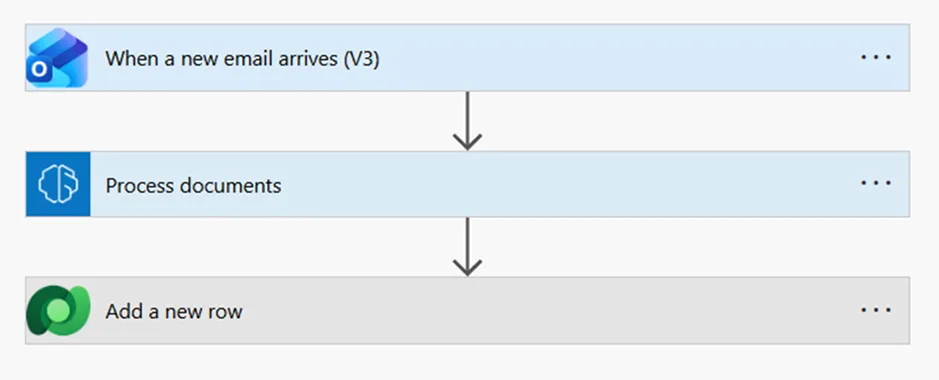
Power Automate detects the email and grabs the attachment.
-
Processing
The file is sent to the AI Builder (Document Processing model), which classifies the document as an invoice and extracts the vendor's name, due date, and total amount.
-
Validation
If the AI’s confidence score is high (e.g., >90%), the data is automatically pushed to the database (Dataverse or SQL).
-
Exception handling
If the confidence is low, a task is created in a Power App for a human to review and verify the data.
How to Implement this Technology in Power Apps
Conclusion
Frequently Asked Questions that May Interest You
It automatically classifies documents and extracts fields such as dates, totals, and vendor names from PDFs and images. When integrated with Power Automate and Power Apps, AI-powered document processing increases document automation, enables end-to-end document processing workflows, and significantly reduces errors and shortens processing time.
Yes, such Intelligent Document Processing can be customized using AI Builder. Businesses can train custom document models with as few as five sample documents to extract specific fields from their own forms. This allows organizations to automate document processing without writing complex code.
AI Builder is a low-code AI capability in Microsoft Power Platform that allows users to add artificial intelligence to Power Apps and Power Automate. This Microsoft Document AI enables document processing, form recognition, prediction, and text analysis using prebuilt or custom AI models without requiring data science expertise.
hey are document analysis and classification, data extraction, invoice processing automation, purchase order matching, legacy document digitalization, etc.
UDS Systems Also Recommends
Table of contents: