




A Short Overview of the Article
Microsoft Purview is not just a single tool, but a unified data governance, risk, and compliance platform.
It enables companies to identify, categorize, secure, and govern data across on-premises environments, Microsoft 365, Azure, and multi-cloud platforms like AWS and Google Cloud.
In this article, we will explore the main modules of Microsoft Purview, from Information Protection and Data Loss Prevention to Unified Audit Log, Data Catalog, Insider Risk Management, and Data Lifecycle Management, and explain how they work together to build a modern, intelligent, and risk-based data protection strategy.
A Short Reference About the Author
Mariia is a certified, highly capable Dynamics 365 Developer with practical experience spanning Dynamics 365, the Power Platform, Azure, AI, and a broad range of Microsoft technologies.
Introduction
These days, data is everywhere, flowing between applications, cloud platforms, analytics tools, and collaboration environments. As companies increasingly rely on ecosystems built on Microsoft 365, Microsoft Azure, Amazon Web Services, and Google Cloud, managing and protecting that data becomes both more critical and more complex.
Microsoft Purview addresses this challenge by bringing data governance, security, risk management, and compliance into a single, unified platform.
Instead of functioning as a separate solution, it establishes a unified framework that enables companies to gain visibility into what data they possess, where it is located, who has access to it, and how it is being utilized.
For developers and architects working with Microsoft Dynamics 365 and the Microsoft Power Platform, Purview is more than a compliance layer, but a strategic extension of the security model. While Dataverse security roles define who can access data, Purview governs what happens to that data after access is granted.
Information protection
The foundation of data safety.
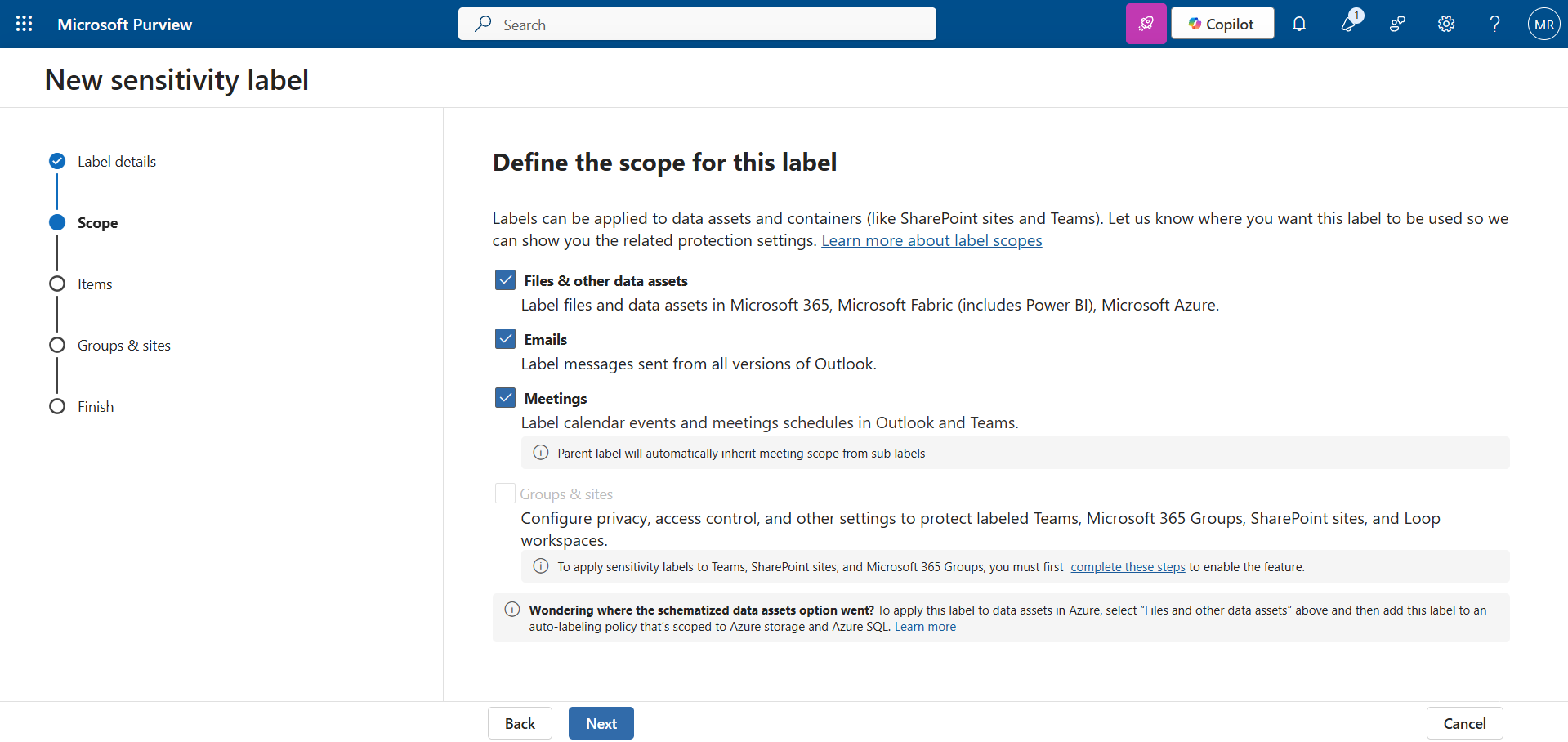
This solution uses sensitivity labels to classify and protect data. Once you classify data (for example, "General," "Confidential," "Highly Confidential"), the protection "sticks" to the data wherever it goes.
You can apply a sensitivity label directly to a column in Dataverse. So, if a user clicks on "Export to Excel" in their Model-driven App, the downloaded file is automatically encrypted.
If you try to send this file to a personal email, they will not be able to open it because the encryption travels with the file.
Data Loss Prevention (DLP)
Protection against accidental leaks.
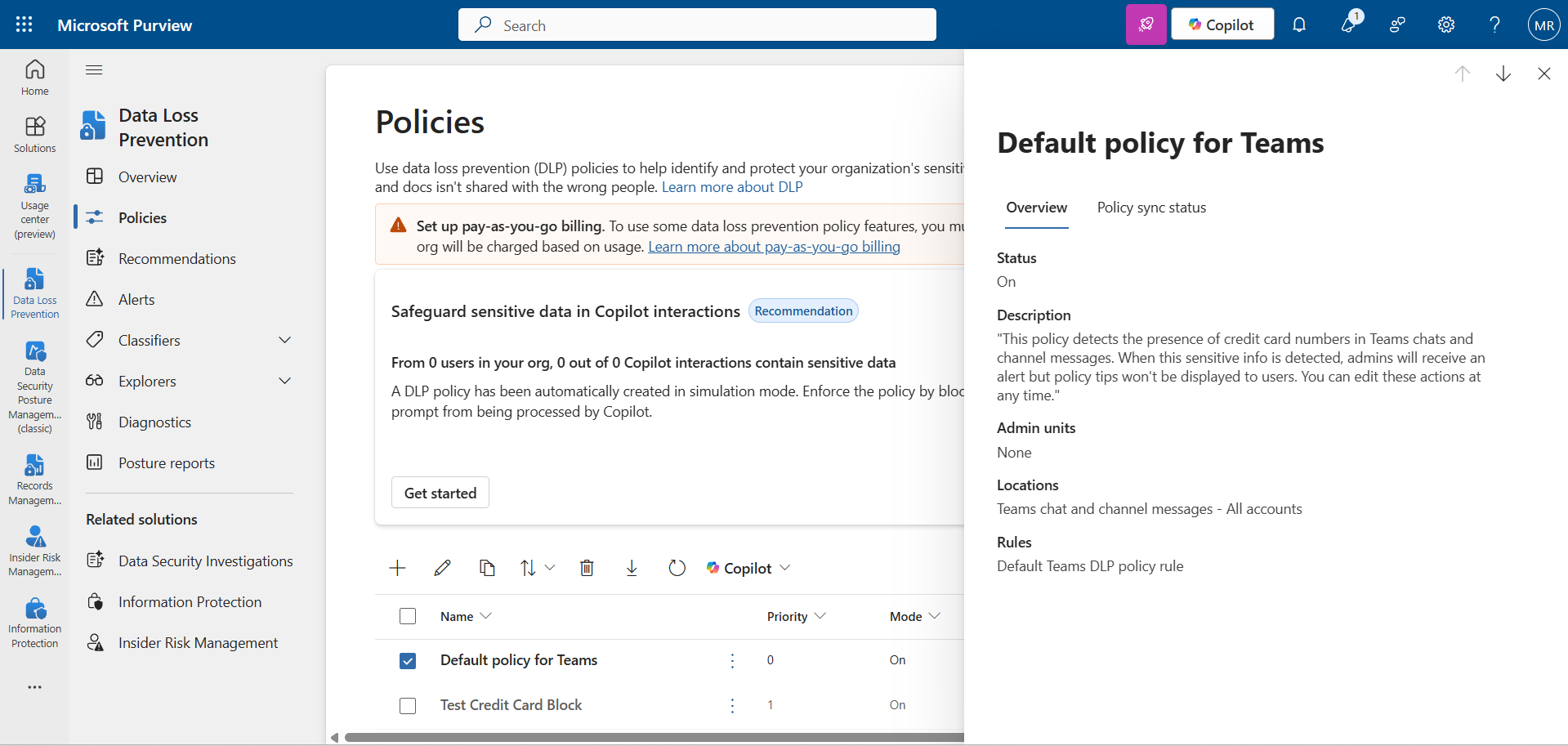
Purview DLP functions as a “watchdog,” continuously monitoring sensitive information and preventing it from leaving the company’s boundaries.
! Note. Do not confuse this with Power Platform DLP, which blocks Connectors. Purview DLP looks at the content itself.
The most common scenarios may look like this:
- A developer tries to copy-paste API keys or client data into ChatGPT. DLP can block the paste action.
- An employee tries to upload a document containing passport numbers to a personal Google Drive. Endpoint DLP will block the upload.
Unified Audit Log
The "Black Box" recorder.
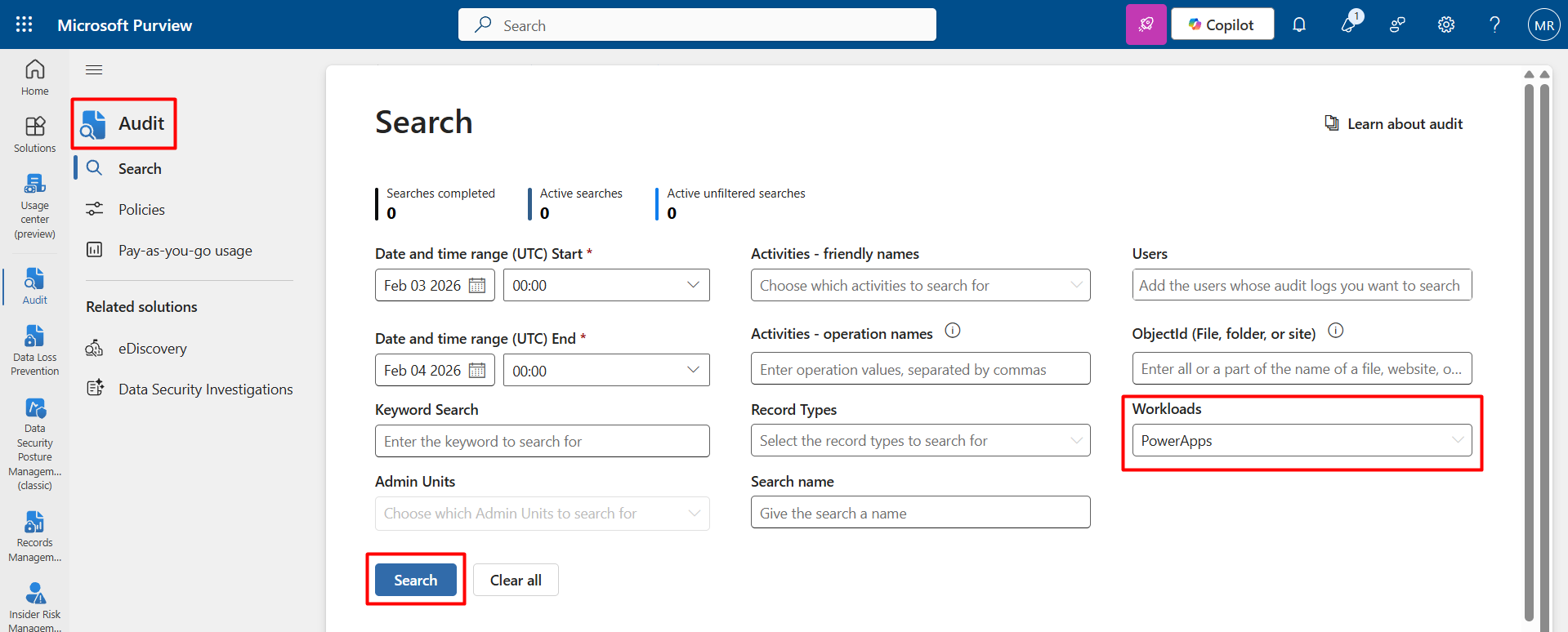
This is a global search tool for all activities within the tenant. It records everything from user logins to file deletions.
For Power Apps Developers, you can filter events specifically by Workload with Power Apps.
This will help you uncover the answers to key questions, such as:
- Who released the latest version of the application?
- Who deleted specific records?
- Is anyone actually using the new feature (checking Launched app events)?
Data Catalog
Google for your enterprise data.
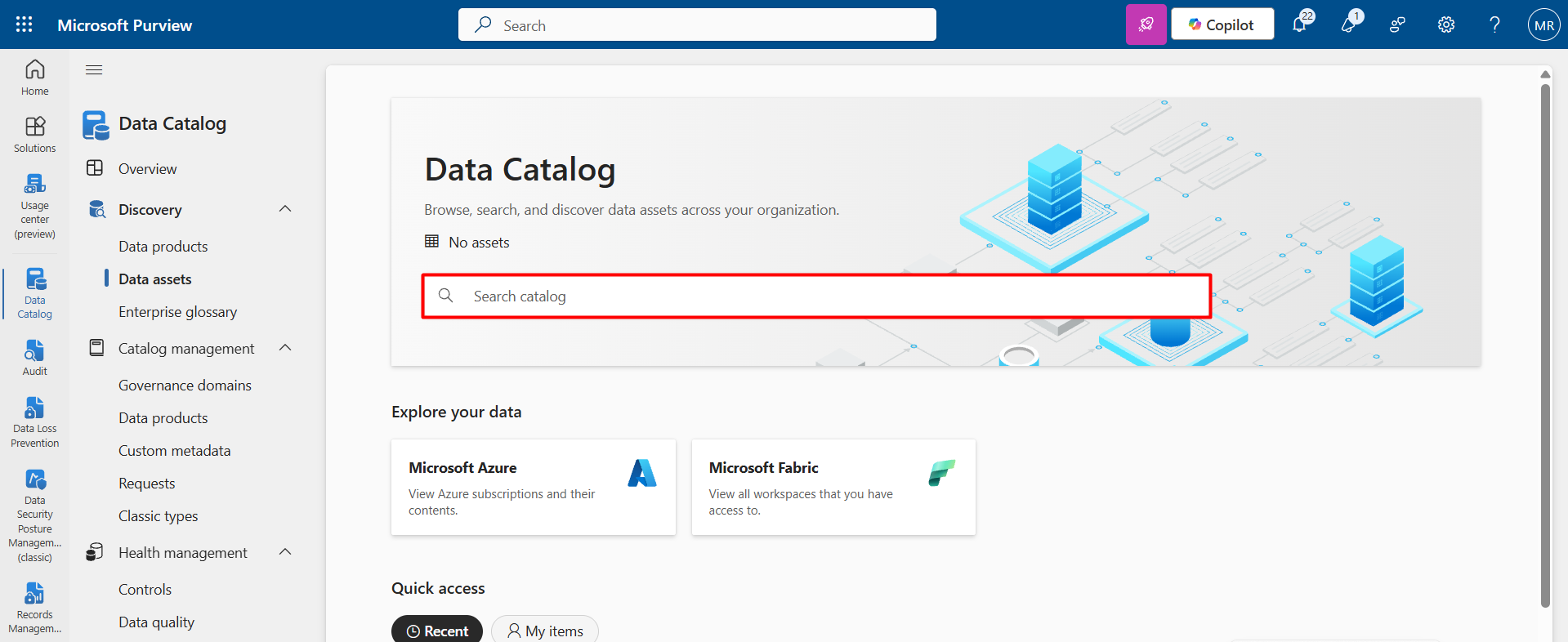
For a developer, this is the best way to avoid creating duplicate data. Before building a new table, you can search the catalog to see if that data already exists, where it lives, and who owns it.
It visualizes how data flows from Dataverse to Power BI and then to Excel and allows users to request access to data assets with a single click rather than emailing IT support.
Other Vital Modules (Briefly)
-
Communication Compliance
This module monitors internal communications (Microsoft Teams, Outlook, and other Microsoft 365 services) to detect policy violations such as harassment, inappropriate language, data sharing that breaches company rules, or even potential insider trading risks.
It helps companies maintain a healthy corporate culture and meet regulatory requirements by proactively identifying risky conversations before they escalate into legal or reputational issues.
- Data Lifecycle Management (DLM)
Think of this as the "Automatic Janitor" for your data.
It applies retention policies that automatically preserve, archive, or remove content according to established rules.
For example:
- Automatically deleting logs older than three years to optimize storage.
- Preserving financial documents for seven years to meet compliance requirements.
- Preventing deletion of legal contracts during an active investigation.
DLM ensures that data is retained strictly for the required duration, no longer and no shorter, thereby lowering storage expenses and minimizing compliance risks simultaneously.
- Insider Risk Management
This module uses AI-driven analytics to detect potentially risky user behavior inside the company.
For example:
- A resigning employee downloading unusually large amounts of sensitive data before their last working day.
- A user accessing confidential records outside of their normal working pattern.
- Sudden spikes in file sharing with external accounts.
It does not assume guilt but provides risk indicators, allowing security teams to act early and prevent incidents before they occur.
Conclusion
Implementing Microsoft Purview allows companies to move from a rigid "block everything" security model to an intelligent, risk-based protection strategy.
Instead of slowing down business processes, Purview enables secure collaboration, protects data at the source, monitors how it is used, and responds to risks in real time.
Security Roles in Dataverse control who can access data, but Purview controls what happens to that data after access is granted.
It creates a comprehensive security ecosystem where productivity and protection coexist, ensuring that even when data leaves its original environment, it remains classified, monitored, and secure.
Frequently Asked Questions that May Interest You
While Dataverse Security Roles and Dynamics 365 Security Roles control who can access data, Microsoft Purview strengthens overall Data Security by protecting the data itself. Through Information Protection, Sensitivity Labels, and Data Encryption, files remain secure even after exporting to Excel or sharing via email. This ensures true Enterprise Data Protection beyond system boundaries.
Purview DLP (Data Loss Prevention) focuses on inspecting the content of information, such as credit card numbers, passport details, or API keys, and prevents sensitive data from being copied, uploaded, or shared externally. In contrast, Power Platform DLP controls which connectors can be used within Power Apps or Power Automate. Together, they strengthen Power Apps Security, Cloud Data Protection, and overall Compliance Management.
Microsoft Purview plays a central role in Data Governance Strategy by combining tools such as Data Classification, the Enterprise Data Catalog, the Unified Audit Log, and Data Lifecycle Management. It enables companies to monitor tenant activity, enforce Retention Policies, manage regulatory requirements, and maintain visibility over data flows, from Dataverse to Power BI and beyond, ensuring strong Regulatory Compliance.
Microsoft Purview supports data governance in enterprise applications.
It integrates with Microsoft Dynamics 365: classifies and labels data in applications, maps data sources, identifies and secures sensitive customer data in D365, controls data access and prevents unauthorized data sharing, detects risky user behavior, supports GDPR, and improves end-to-end data visibility.
In Power Platform, it can monitor data usage across Power Apps and Power Automate, enhance governance for Power BI reports, and provide tools to manage Dataverse data, prevent data loss in Power Platform, and risk and compliance insights for developers.
Related Content
UDS blog articles: