

 D365 Customer Engagement
 Power Automate
 MS SharePoint
 Azure Services
en

fi

de

 D365 Customer EngagementPower AutomateMS SharePointAzure Services

Geography
Finland
Industry
Estate Management
Size
200+ employees
Implementation
2015-2025

The project team consisted of high-quality experts in Dynamics 365, Power Apps, Power Pages, Power BI, Power Automate, and Azure. They have successfully completed numerous projects on the Nordic market, providing our clients with innovative solutions that meet all their business needs.

A Finnish estate management company, which provides extended property management services, asked us to create a simple, reliable, fully functional portal for users and service staff, with 24/7 access to the key information, services, and support tools.

Thus, the project team’s task was to build a set of three solid, multi-role, user-friendly portals: a Customer Portal, a Maintenance Portal, and an Investor Portal, based on efficient, comprehensive, high-quality solutions, well-integrated with Microsoft Dynamics CRM.
Requirements gathering
Technical assessment
Project planning
UX/UI design
Architecture design
Environment setup
Core portal development
Security implementation
Functional testing
Deployment
Training and documentation
Monitoring and maintenance
Continuous improvement
Cooperative Portal
It is the primary portal for owners and residents, property managers, board members, accountants, auditors, and even contractors, offering a wide range of available information and functions.
Investor Portal
It is a specific portal for investors or their managers with the ability to check reports, portfolios, and financial information.
Maintenance Portal
It is used mostly by maintenance personnel to add or check meter values, share reports, get needed cooperative or customer information, follow and handle tasks.
! Note. Each portal instance can serve multiple cooperatives or investor portfolios, scaling to match the organizational structures.
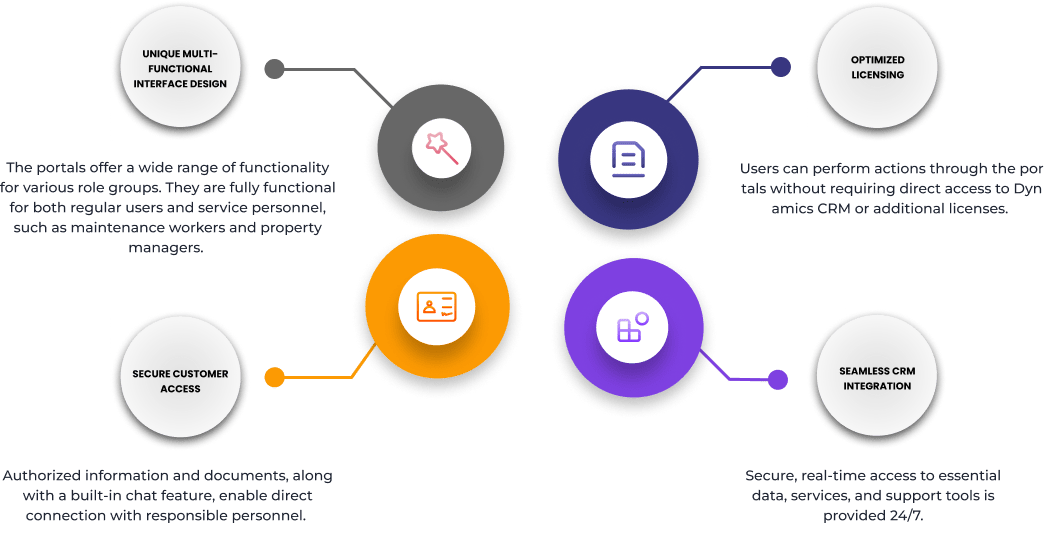
Each role group has a customized dashboard and access permissions, ensuring users only see the information and tools relevant to them.
The portals contain background and contact information, service providers, responsible personnel, and so on.
The portals allow users to add or update personal information, including uploading and managing important documents. Users can also customize their profile settings, such as contact preferences, language options, and notification preferences. The portals provide secure access to view account details, track activity history, and manage login credentials, ensuring a personalized and streamlined experience.
The portals provide secure uploading, version control, and easy downloads. All documents are organized in a structured format, making it simple for users to find, manage, and access the files they need. Document control can be applied to those pages as necessary.
To meet diverse requirements, we have developed 10 specialized reports, carefully structured for different user groups:
Users can track, update, and collaborate on issues. Customers can create and update support tickets, attach documents, monitor or change ticket status, and communicate directly with the service team through integrated chat messaging. Board members or other task assigners can easily manage and delegate tasks in a dedicated section of the portal using any convenient device, such as a desktop, a tablet, or a mobile device.
These tools reduce the call center load by letting customers update their information, access knowledge base articles, and download documents.
A built-in messaging feature is linked directly to events, cases, and tasks. Users can communicate in real time, edit or delete their messages when needed, and maintain a clear, contextual conversation history, streamlining collaboration and improving response times.
Users can book shared spaces, services, or equipment directly through the portals. The system supports grouped resources, allowing administrators to organize reservation items into categories (e.g., meeting rooms, vehicles, or support staff). Each resource can be configured with its own availability rules, including time slots, duration limits, and blackout periods.
Customers can make reservations by specific date and time ranges, with real-time availability and confirmation, which improves scheduling and reduces conflicts.
Users can also view, manage, and cancel their reservations as needed, giving them full control and flexibility over their bookings.
The portals include a robust notification system that supports both system-wide and personal alerts. Administrators can send global messages, such as system maintenance, outages, or policy updates, to all users. Meanwhile, users receive real-time, personalized notifications about their activity, including new chat messages, case updates, and other key interactions.
To enhance visibility, the portals display red notification bubbles in relevant sections (such as the Cases or Tasks areas), making it easy for users to spot new activity at a glance. Plus, it guarantees that users will never miss important updates.
Users have secure access to a personalized financial overview, including invoices, fiscal year documents, and summary reports. The portals allow customers to review their financial history, monitor account balances, and view delivery мstatuses — all in a clear, organized format. This transparency enhances trust and reduces the need for direct inquiries.
The portals offer seamless access to third-party tools, systems, and external resources directly from the user interface. Whether linking to partner platforms, industry-specific services, or documentation repositories, users can navigate effortlessly without leaving the portal environment, refining their workflow and improving overall usability.
The portals offer robust functionality for managing events and communications, allowing users to easily create appointments and initiate mass communications. These can be delivered through a variety of channels, including post, email, SMS, portal messages, or a combination of these methods.
Portal messages serve as an especially convenient way to share important updates directly within the system. Whether it is a reminder about an upcoming appointment or a company-wide announcement, communication is tailored to meet the needs of user roles and individual recipient preferences. For instance, announcements might be assigned to property managers and accountants, as well as to all property owners in a particular building.
Users can specify how they prefer to receive different types of information, for example, marketing content via email and appointment-related updates by post. Each message or appointment can include both primary and additional details, such as attached documents, ensuring that recipients have all the necessary information at their fingertips.
The portals are optimized for use across desktops, tablets, and smartphones.
The portals empower users with customizable dashboards that present the most important insights instantly. From open cases to recent updates, each widget on the dashboard is powered by real-time CRM data, ensuring that information is always accurate and up-to-date.
Every cooperative can personalize its data dashboard to match its unique needs. With interactive widgets, users can quickly view essential details or dive deeper into specific areas by clicking on the menu link within each widget.
With Custom Dashboards, every user gains a personalized command center, making daily tasks more effective, improving efficiency, and enabling smarter decision-making.
This project demonstrates how thoughtful architecture and clean integration can extend CRM capabilities far beyond traditional usage without overcomplicating the tech stack or overloading users with unnecessary features.
We are proud of how this powerful set of portals balances complexity and usability, giving customers a secure, responsive, and intuitive way to manage their operations, communicate, and access critical data anytime, anywhere.
Do you plan to build a customer portal for your business? Apply for our Portal Development service. Book a demo to see what we can offer.