




A Short Reference About the Author
Mariia is an experienced Dynamics 365 Developer with a wide range of technical skills and knowledge in secure customization and process automation.
Introduction
For many businesses, a notification about an upcoming platform update from Microsoft brings a mix of anticipation for new features and anxiety about potential disruptions.
The most common fear we hear from clients is: "What if this update breaks our custom functionality?"
This is a valid concern. If you let the update roll out automatically on Microsoft's schedule, you risk receiving "downtime" and discovering that your critical custom components have "fallen" (stopped working) precisely when you need them most.
Waiting for this to happen is a reactive approach. We advocate for a proactive strategy that puts you in control, ensuring stability and peace of mind. In this article, we will explore our proven solutions for this challenge.
Where to Monitor Update Schedules
Before you can manage updates, you need to know when they are coming. Microsoft provides release schedules that are crucial to monitor.
We recommend bookmarking these two essential pages:
-
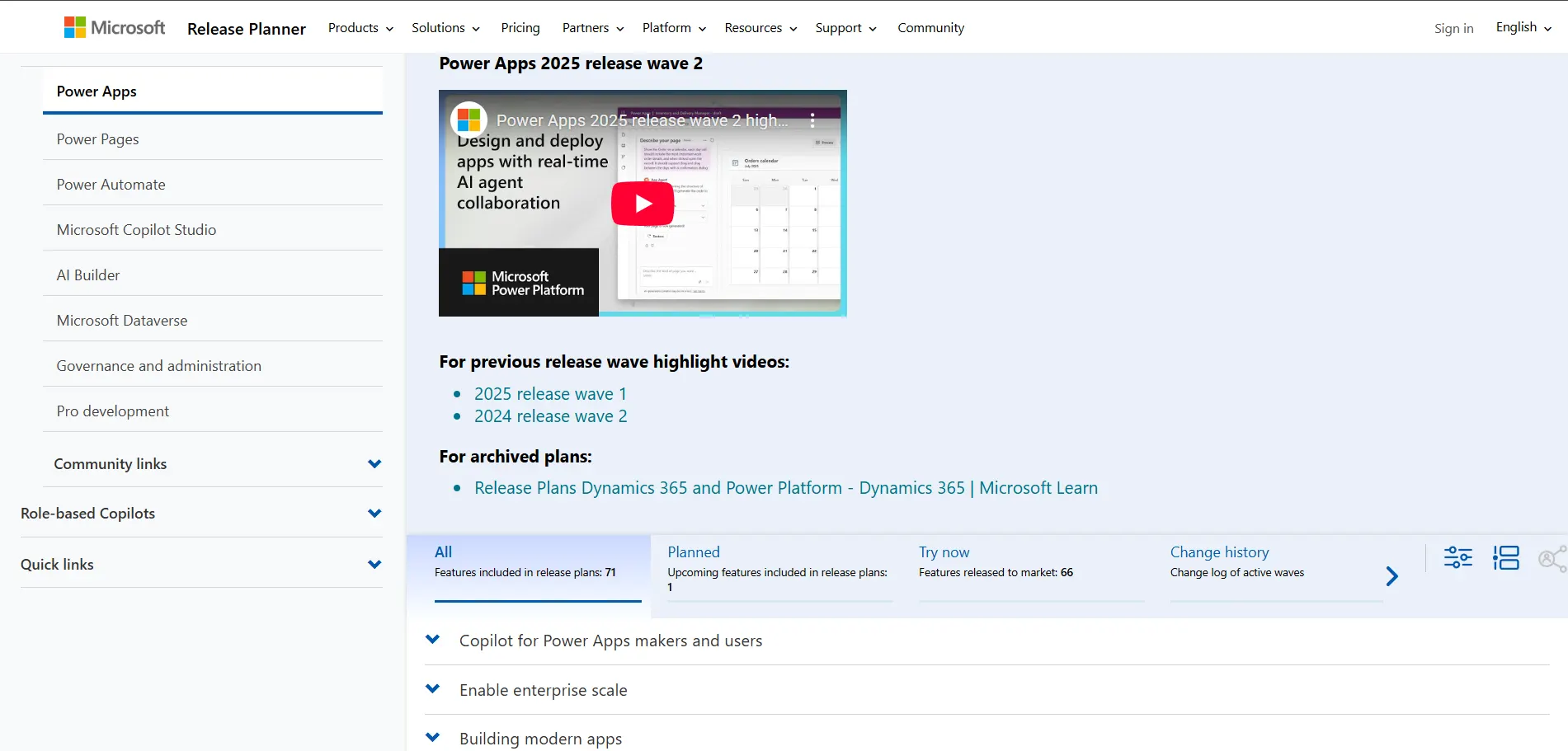
The Dynamics 365 Release Planner
This is an interactive portal that lets you view timeline details, filter by new features, and see what is included in each release wave. Link: Release Planner for Dynamics 365
-
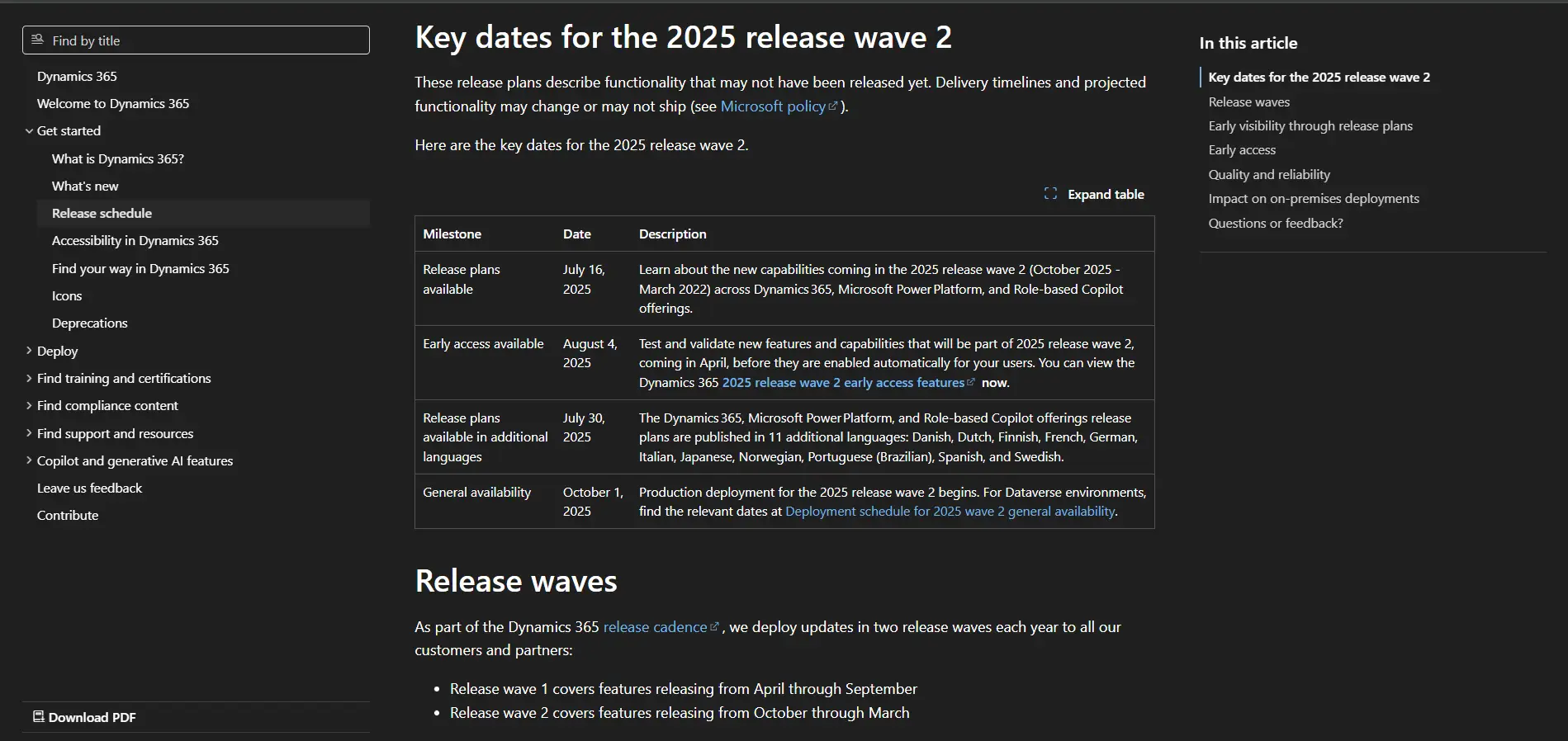
The Dynamics 365 Release Schedule
This is the most critical page for your planning. It provides the exact dates for Early Access (when you can start manual testing) and General Availability (the automatic deployment deadline). Link: Dynamics 365 Release Waves Schedule
For those who want more in-depth technical details or region-specific information, these resources are also useful:
-
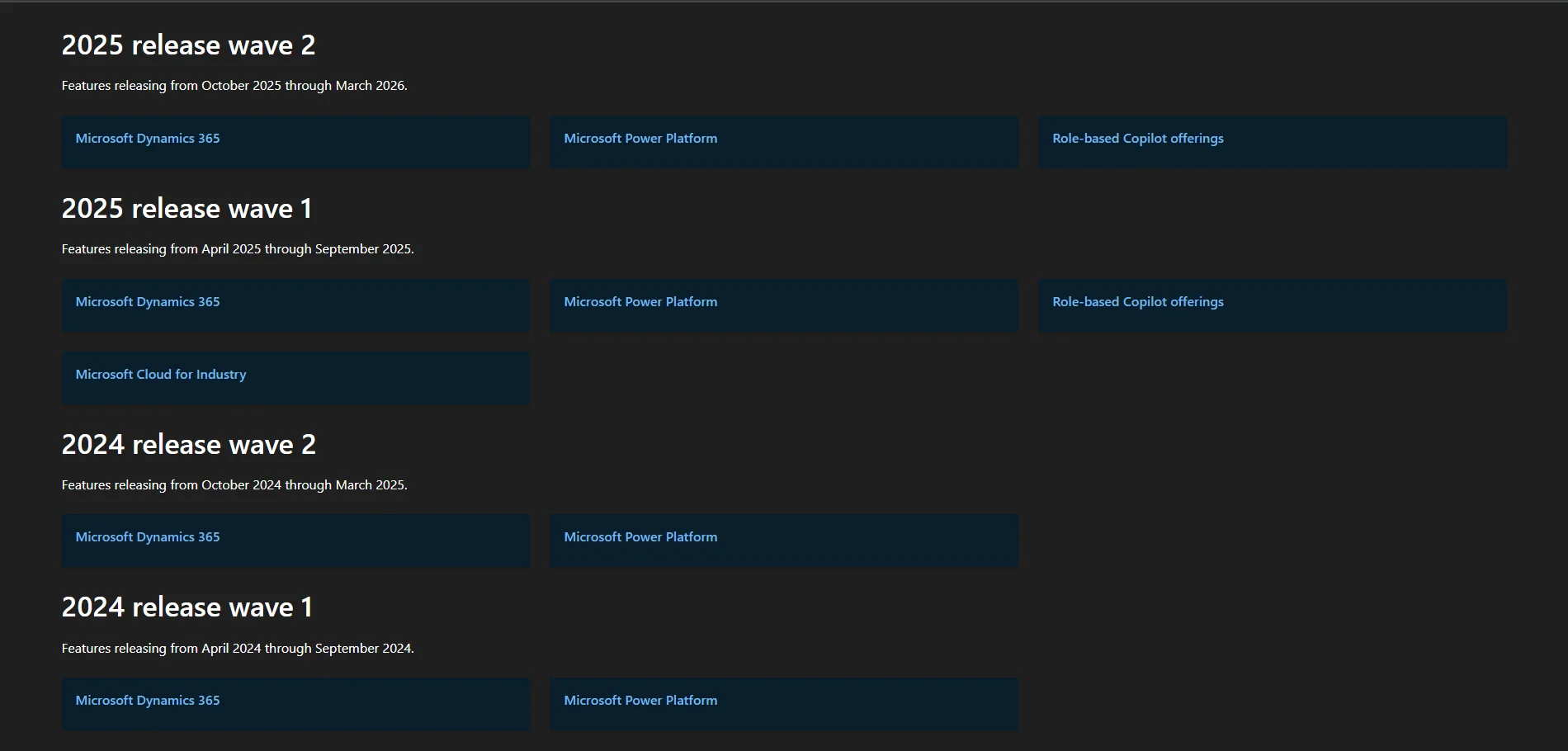
Detailed Release Plan Documentation
This is the main documentation hub for all Dynamics 365 release waves. It includes detailed web pages and downloadable PDFs that break down every new feature and change. Link: Release Plans for Dynamics 365
-
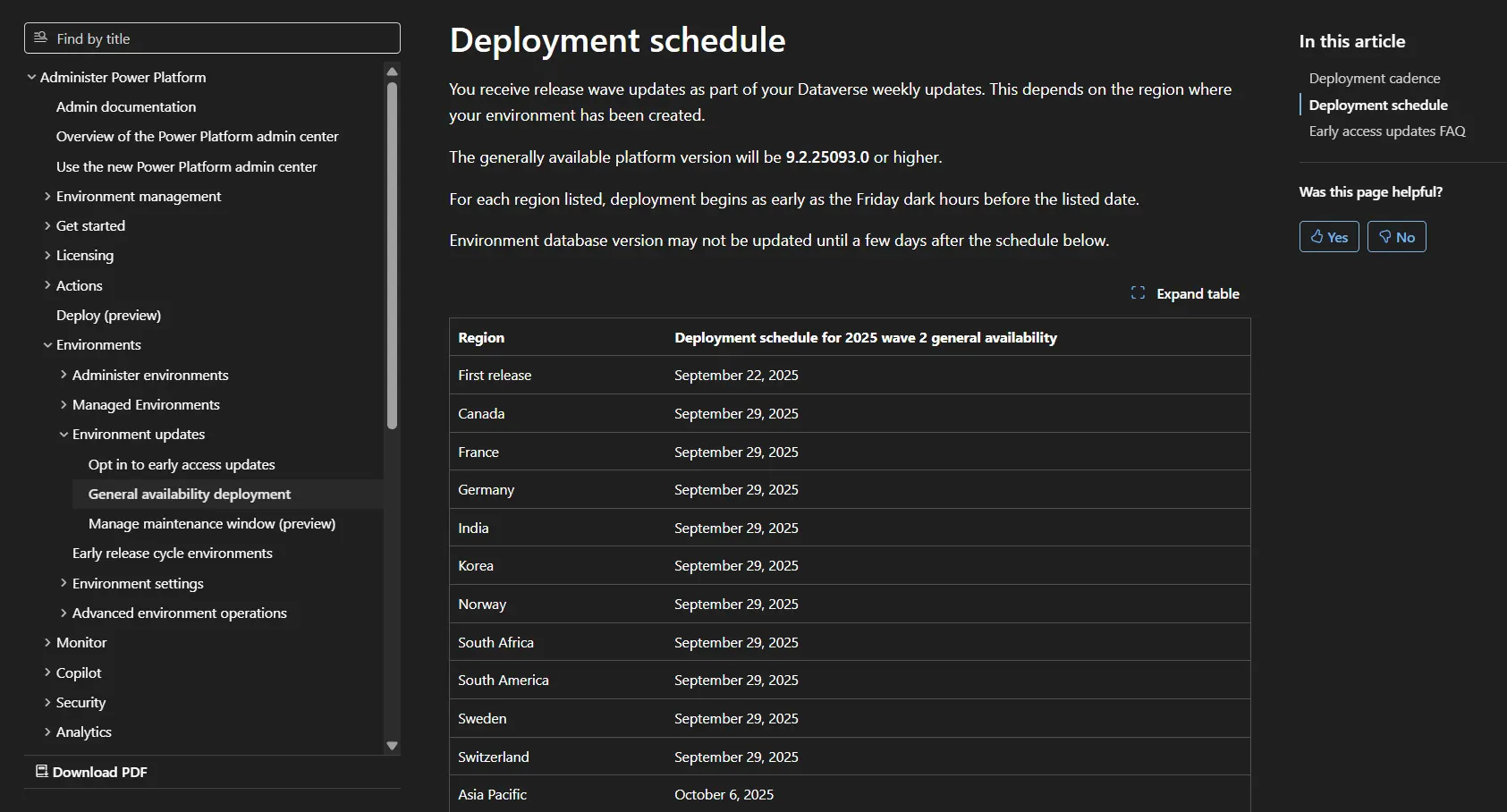
Power Platform Deployment Schedule
If you heavily use Power Platform, this page shows the specific deployment schedules broken down by geographic region. Link: Power Platform Deployment Schedule
Understanding the Two Types of Updates
It is vital to differentiate between the two types of updates Microsoft deploys:
Major Updates
These are significant releases, like Wave 1 and Wave 2, deployed by Microsoft twice per year, typically in April and October.
They are large-scale updates that introduce new features and can significantly affect the platform’s functionality.
They are risk-high because they are most likely to conflict with custom components.
The challenge is that Microsoft sets a firm deadline. After this date, the update is deployed automatically to all environments.
Minor Updates
These are small, continuous enhancements or bug fixes for the platform.
They are lightweight changes deployed frequently (sometimes 10-15 times per month).
They are risk-low because, while still present, the probability of a Minor update causing a critical issue is significantly lower.
The challenge is that they often cannot be postponed and are not under your direct control, as they happen continuously.
Our Proactive Strategy for Major Updates
This is where the most critical work lies. Instead of waiting for the deadline, we follow a controlled, manual process.
A concrete example: the "October" update (Wave 2) often becomes available for manual rollout in the admin center as early as September. The deadline for automatic rollout might be late October. Here is how we proceed:
Manual deployment scheduling (September): as soon as the update is available, we manually deploy it to a Staging or Test environment. Your live (Prod) environment remains untouched.
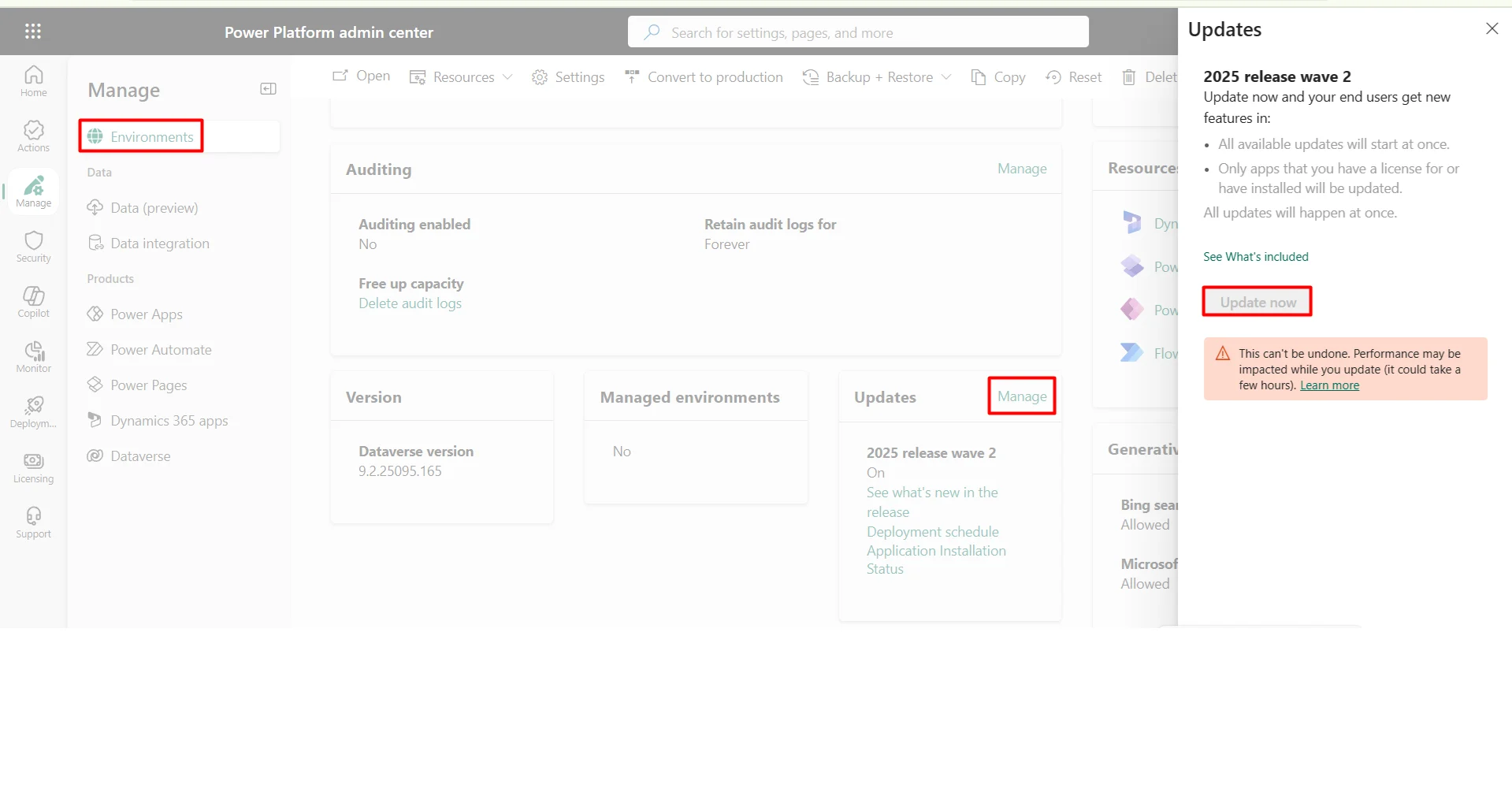
Test sessions conduction: we perform comprehensive testing to see how the update interacts with your custom code. This includes smoke tests and regression testing of all critical business processes.
Issues identifying and resolving: if any conflicts or "breakages" are found, our development team fixes them within the test environment.
Controlled production releasing (before the deadline): only after all issues are resolved and testing is complete, do we manually deploy the fully-patched update to your Production environment.
The result: you get the benefits of the new update, your custom code continues to work, and you experience zero production downtime caused by update conflicts.
How to Handle Minor Updates
Since minor updates are frequent and automatic, our strategy focuses on detecting them and responding quickly. Here are three possible approaches:
-
The "Fix on the Fly" approach
Because the risk is low, many organizations choose to fix issues as they are reported by users. This is a viable option, but it can lead to brief disruptions.
-
Manual smoke tests
A more structured approach involves performing daily manual "smoke tests" on the Production environment's main custom components.
It involves a 30-45-minute daily check of core logic during non-business hours (e.g., early morning or late night) to catch issues before the workday begins.
-
Automated testing
This is the most robust, long-term solution. It involves developing a pipeline of automated tests that run checks continuously.
It involves using tools such as Selenium (for the web front-end logic) and Postman (for the backend logic) to create scripts that automatically test your core functionality.
These tests run automatically on a schedule (e.g., every night). If an issue is detected, the team is alerted and can fix it before business hours.
Conclusion
Microsoft updates do not have to be a source of stress. By adopting a proactive strategy, you can manage the high-risk major "Waves" in a controlled test environment and choose a monitoring plan for low-risk minor updates. This approach keeps your platform current and your custom investments safe.
If managing this process seems daunting, our team can support your full update cycle. We can "wrap" this service for you, providing peace of mind and ensuring your platform runs smoothly through every release wave.