





A Short Reference about the Author
Vlad is a skilled and experienced project manager who has successfully delivered many projects, including custom UDS solutions.
Introduction
Managing inventory, suppliers, and sales orders is critical for any growing business, but it quickly becomes complicated. A spreadsheet might be enough for a small store, but once you add multiple warehouses, purchase orders, or customer accounts, things can get out of hand.
That is why we have created our Inventory Management tool for Dynamics 365: to help businesses handle stock, purchasing, and sales in one connected system.
Why Businesses Need a Unified Inventory System
Many companies face the same problems:
-
Poor visibility
Teams do not always know how much stock is available or where it is. -
Error-prone transfers
Moving goods between locations often leads to mistakes. -
Disconnected teams
Procurement and sales often work separately, making planning harder. -
Weak reporting
It is difficult for decision-makers to get clear, up-to-date insights.
A modern inventory system brings everything together — stock, purchasing, and sales — on one platform. Our tool is built on Microsoft Dynamics 365, so it fits easily into your existing environment.
What is Included: the Key Modules
The completed solution includes the following modules with particular components:
Inventory
-
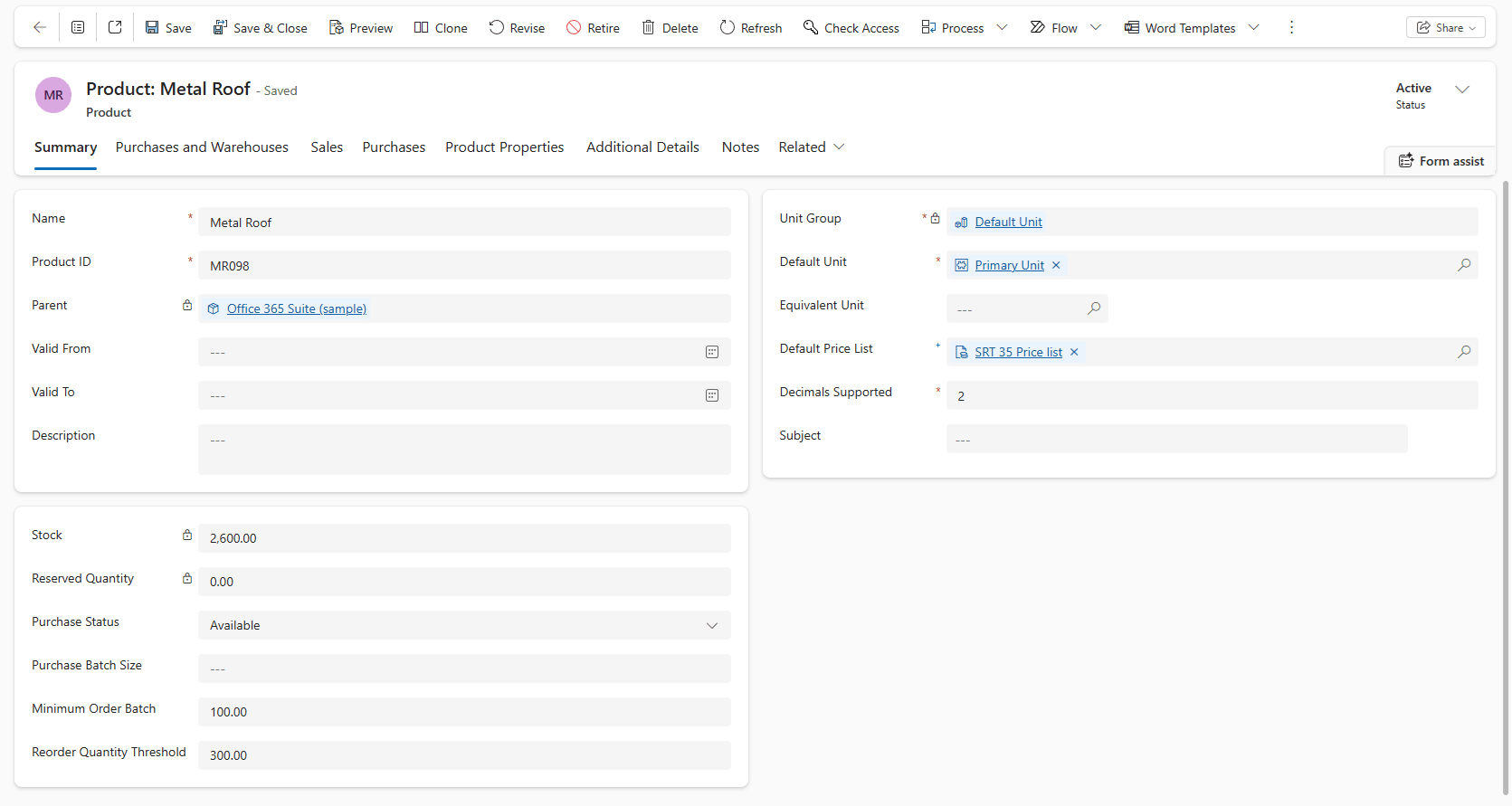
Products
This component contains a central catalog that stores all product details like SKUs, descriptions, and units. Every transaction connects back to this catalog.
-
Storages
This component manages multiple warehouses, stores, or regions. See where your goods are in real time.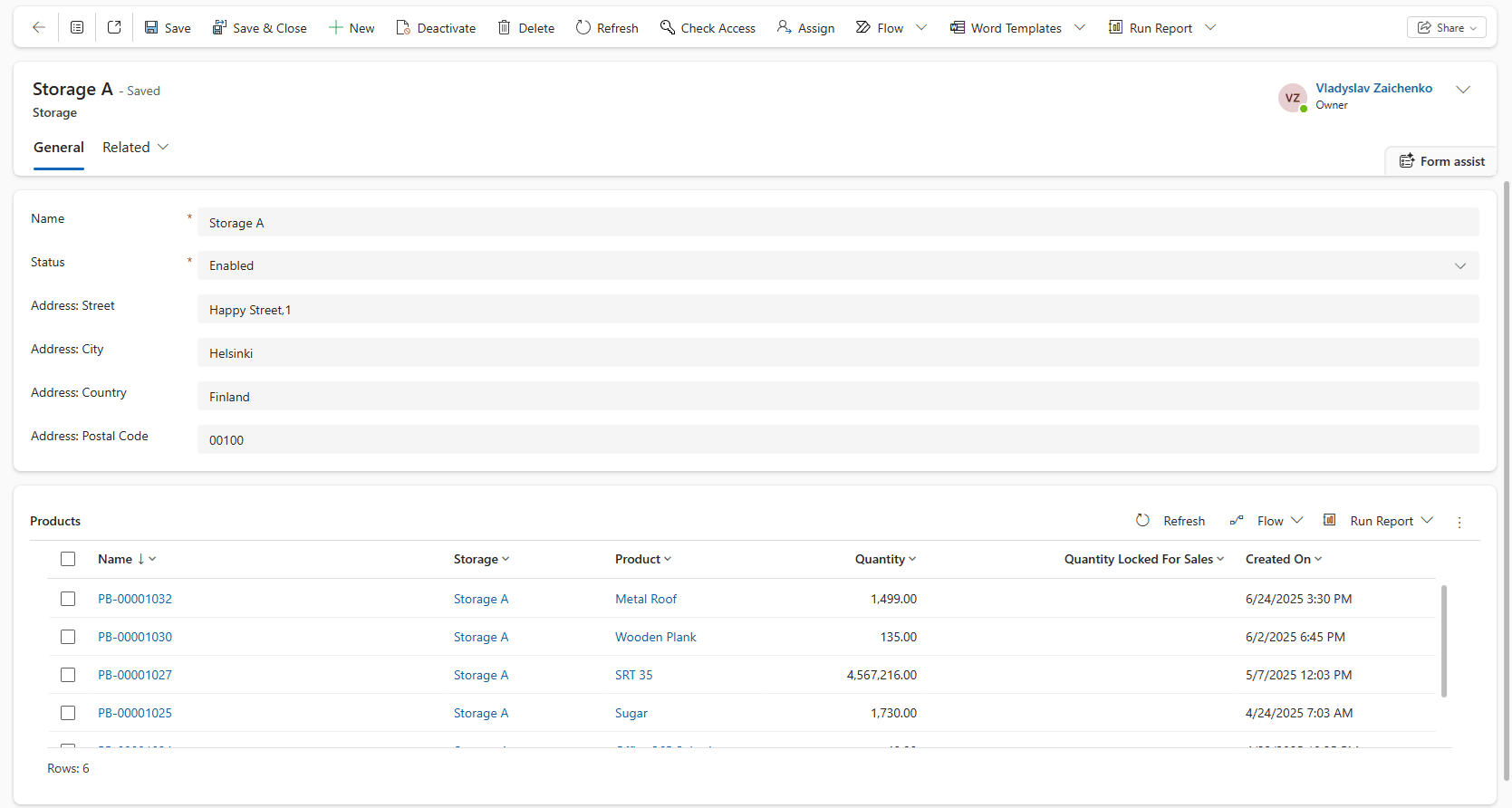
-
Storage Transfers
This component tracks and documents the movement of goods between locations. The system updates both ends instantly.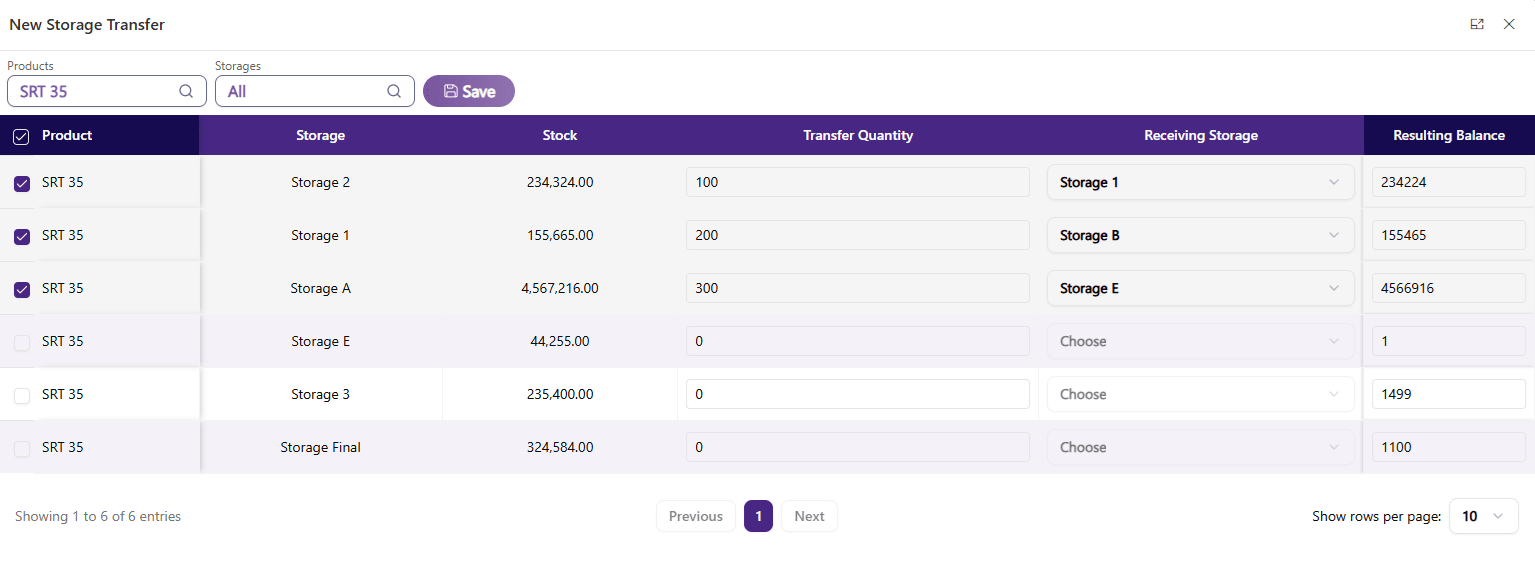
-
Manual Adjustments
Manual adjustments let you fix stock mismatches due to damage, audits, or errors with a full audit trail.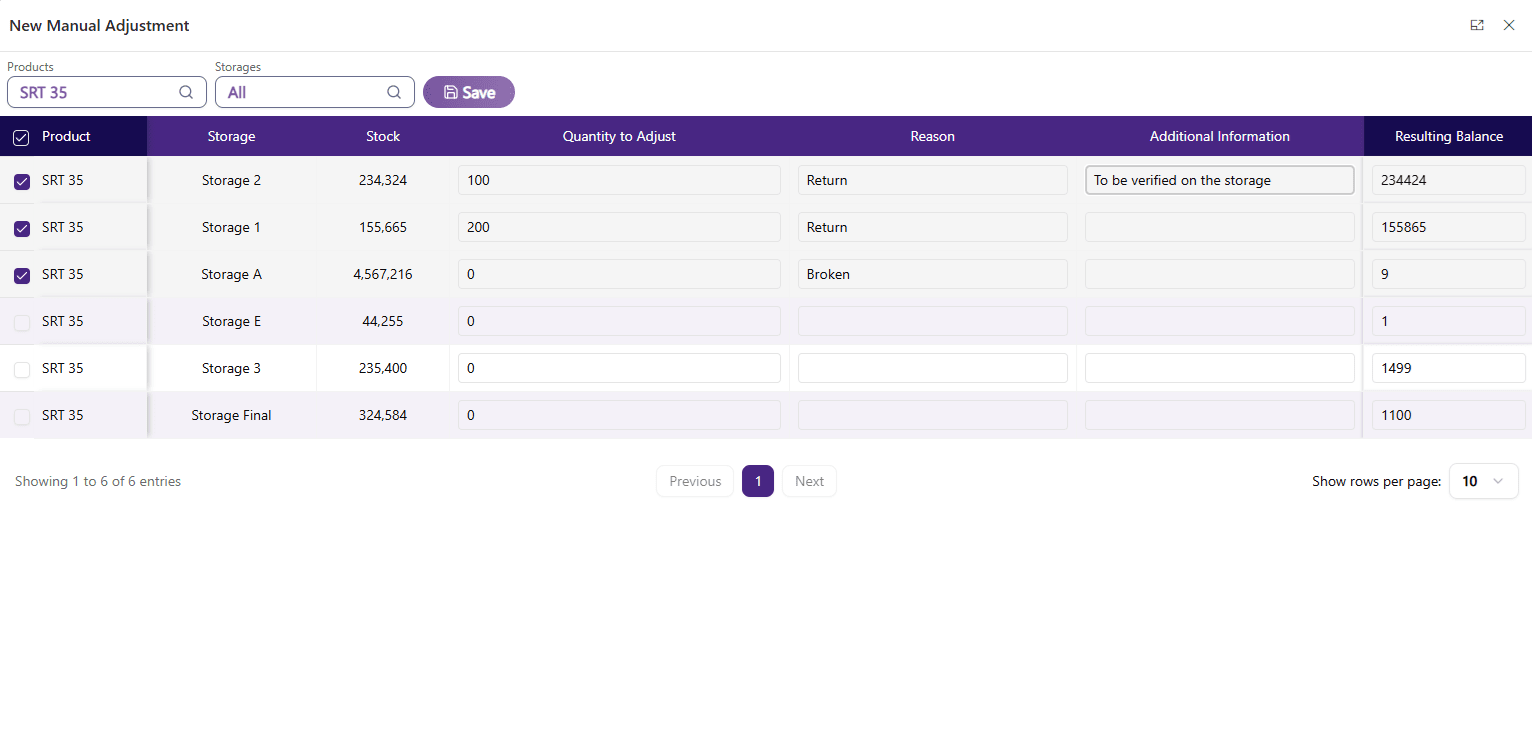
-
Inventory Balance Report
With this feature, you can see available stock by product and location. It is helpful for finance and purchasing teams before placing new orders.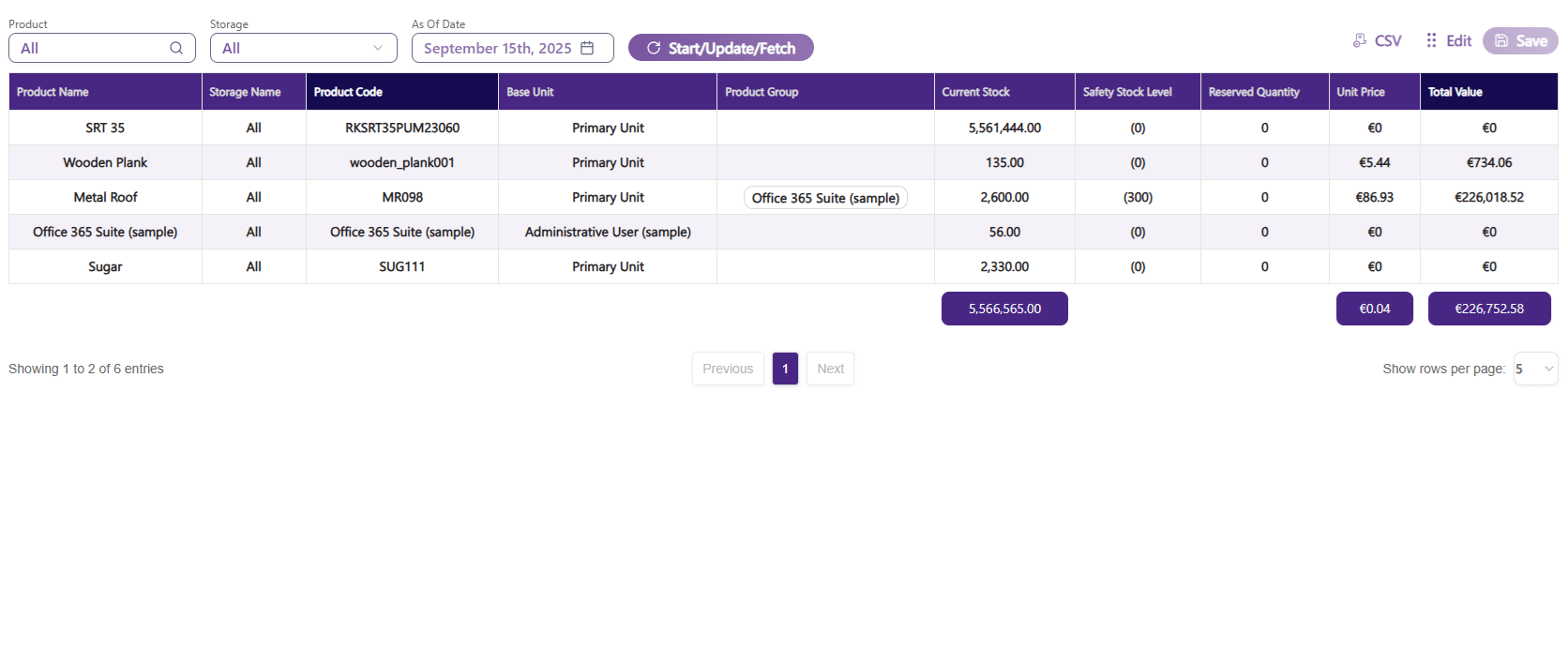
Procurement
-
Purchase Orders
This component creates and manages orders directly in Dynamics 365. With this function, you can track suppliers, delivery dates, and prices and avoid overstocking.
Sales
-
Orders
Sales orders turn customer orders into actions. Integrated inventory helps prevent selling out-of-stock items. -
Accounts
This component allows you to track customer balances and payments and keep financials connected to sales.
The Benefits at a Glance
The solution provides several essential advantages to its users:
- Full visibility into products, stock, and orders
- Real-time data for smarter purchasing decisions
- Smoother operations, from transfers to adjustments
- Better cash flow with linked sales and payments
- Scalable system that grows with your business
Conclusion
Inventory is the backbone of any product-based business. Without clear systems, growth can lead to confusion and mistakes.
Our Inventory Management tool for Dynamics 365 gives businesses full control over stock, purchasing, and sales — all in one place.
Learn more about the UDS Inventory Management Tool.